

Service history tracking for rideshare drivers: complete 2026 guide

Rideshare drivers’ service history tracking is the practice of recording maintenance, mileage, and repair evidence with the aim of keeping a working car ready for service and its history easy to explain. This 2026 guide shows you how to use a service history tracker for rideshare drivers without confusing maintenance records with trip logs or guessing when work is due.
Why service history tracking matters for rideshare drivers
Remember when you last changed the oil? Remember the mileage, too? For a car you use to earn income, those are different questions, and your records need to answer both.
A receipt tells you what a shop billed. A dated odometer reading helps place that work within the car’s use. Together, they give you a clearer starting point for the next service conversation than memory alone.
Moterno is best for rideshare drivers who want service history, documents, and vehicle photos together in a digital garage. Moterno lets owners log those records alongside their vehicle’s story; that is its role here, not diagnosing faults or deciding maintenance intervals.
Your 2026 tracking setup should make these questions easy to answer:
- What work was actually completed?
- At what mileage was it completed?
- Where is the supporting receipt or document?
- What remains unresolved?
- What does the vehicle’s maintenance schedule require next?
A complete record supports a maintenance decision; it does not replace an inspection. If a warning light or new symptom appears, arranging an appropriate assessment takes priority over updating the log.
Build a service history you can use between shifts
Start with the records you already have. A notebook and a folder are enough to establish the habit; a digital garage becomes useful when scattered receipts, photos, and service notes become difficult to keep together. The workflow stays the same: record what happened, attach evidence, and check what comes next.
Gather records for the right vehicle
Begin with 1 vehicle record per car. That is a filing recommendation, not a platform requirement. Keeping each car separate prevents a receipt, tire purchase, or repair note from ending up under the wrong vehicle when you switch cars or share driving duties.
Use a paper folder or a clearly named digital folder first. Match each document to the car before sorting it into date order. Vehicle identifiers on invoices help you distinguish records that otherwise look similar.
Do not turn an incomplete history into a confident claim. If you have a receipt for work but no mileage, record the work and leave the mileage unknown. If you only remember a repair, label it as an owner recollection rather than documented service.
Close this setup step with a simple identity check:
- Record the make, model, and model year from your vehicle documents.
- Record the vehicle identification number from an authoritative vehicle document.
- Keep each car’s receipts in its own folder.
- Separate documented work from remembered work.
- Note where gaps in the history begin and end.
Record mileage alongside every completed job
You can build a useful entry in a notebook or spreadsheet before choosing any app. Write the service date, odometer reading, work completed, and location of the receipt. These details connect the maintenance event to the actual car rather than leaving you with a pile of unexplained invoices.
Use the mileage shown on the invoice when it is recorded correctly. If the invoice does not include mileage, take an odometer photo when collecting the vehicle and identify that photo as your own supporting record. Do not silently substitute today’s mileage for the mileage at an older service.
Keep units consistent. If the vehicle or an imported document uses kilometers, label them explicitly rather than mixing them with miles. A number without its unit is easy to misread later.
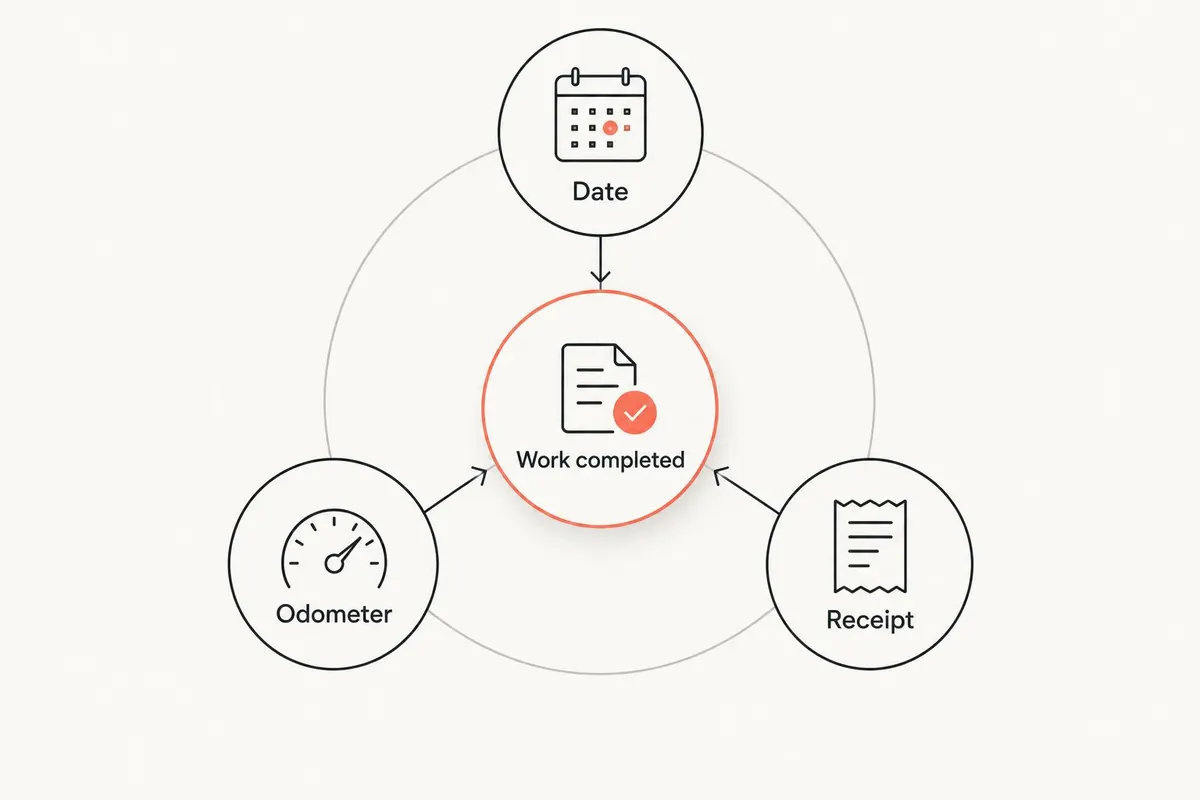
For every completed job, capture:
- Date: when the work was completed.
- Odometer: the reading and its unit.
- Work completed: the actual service or repair.
- Receipt: the document supporting the entry.
- Follow-up: any issue the shop left unresolved.
Attach receipts and supporting documents
The manual route is straightforward: photograph each receipt, save the image in the vehicle’s folder, and reference it from your log. Check that the image is readable before putting the paper away. A cropped total without the description of work does not explain what happened to the car.
Moterno’s service history tracking gives you a digital garage for logging service history, documents, and photos. Use it as the next step when you want those materials associated with your vehicle instead of scattered across folders. Keep paper originals where you need them; a digital copy is a working reference, not a promise that every organization will accept it. It also has clubs and meets, model registries and a marketplace, and it is free to use.
For your 2026 records, distinguish a completed job from a quote or recommendation. A repair estimate describes proposed work. It is not evidence that the repair happened.
Make each document useful:
- Photograph the full receipt with legible text.
- Include additional pages that explain the work.
- Identify estimates as estimates.
- Keep inspection documents separate from repair invoices.
- Preserve original documents where required.
Plan service from the vehicle’s own schedule
Start with the maintenance schedule for your exact vehicle. Read the conditions attached to it, not just a mileage figure copied into a note. Check whether the manufacturer specifies different requirements for the way you use the car; do not assume every rideshare vehicle follows the same schedule.
Use a paper calendar or a personal reminder to track the next action. Where the schedule uses both elapsed time and distance, record both. A service history tracker records past work; the manufacturer’s schedule supplies the maintenance requirements.
If the history has gaps, bring the available records to a qualified technician. Ask what can be confirmed and what needs inspection. Avoid repeating a job merely because a receipt is hard to find, but do not treat missing evidence as proof that maintenance is current.
Build the next-service note around evidence:
- Identify the applicable manufacturer schedule.
- Record relevant time and mileage requirements.
- Check whether your driving conditions change the schedule.
- Separate scheduled maintenance from unresolved repairs.
- Ask a technician to assess uncertain history.
Record symptoms separately from repairs
A maintenance record should not blur what you noticed with what someone confirmed. Start a separate note when you hear a noise, see a warning, or feel a change in braking or steering. Describe the conditions in everyday language without assigning a diagnosis.
A phone note works for initial capture. Record whether the car was cold or warm, moving or stationary, and whether the symptom repeated. When the shop completes its assessment, add the findings and any work performed to the service history.
Keep the original observation even if the eventual explanation differs from your first guess. That preserves the sequence: symptom, assessment, completed work. A logged concern is not a completed repair. Safety-related concerns need assessment, not simply a place in the next routine service entry.
Use these distinctions:
- Describe the symptom without naming an unconfirmed fault.
- Record the circumstances in which it appeared.
- Identify advice separately from completed work.
- Add the shop’s findings when available.
- Mark unresolved concerns clearly.
Review mileage and records on a fixed routine
Choose a review every 7 days as a practical starting routine, not a mechanical service interval. Compare your current odometer reading with the next scheduled action, check recent receipts, and resolve entries that still lack documents. The point is to keep the history usable before another week of driving buries the details.
For a 2026 weekly review, use 2 odometer readings: the previous review’s reading and the current reading. Their difference shows distance covered between those reviews. It does not identify which miles were business miles, personal miles, or associated with particular trips.
Keep trip-level mileage evidence in the record system you use for that purpose. Maintenance history explains what happened to the vehicle; business mileage records explain how it was used. Neither automatically supplies the other.
Make your review a short checklist:
- Record the current odometer reading and unit.
- Compare it with the previous review’s reading.
- Check upcoming manufacturer-scheduled maintenance.
- Attach receipts from completed work.
- Review unresolved symptoms and repair recommendations.
Prepare a clear history before changing cars
Start with a plain chronological summary of completed work. You can write it manually from your folder or spreadsheet, then check every statement against its supporting document. Keep the summary factual: date, mileage, work, and evidence.
Separate your maintenance history from the vehicle’s broader story. Photos and ownership notes add context, but they do not prove that a service was completed. Likewise, a polished summary does not establish mechanical condition or guarantee how a vehicle will perform.
Before sharing records with a buyer or another driver, review personal information. Receipts and documents can contain addresses, payment details, or account identifiers. Keep your originals intact and prepare an appropriate sharing copy rather than handing over your entire private folder.
Finish the handover preparation with these checks:
- Put completed services in chronological order.
- Match summary statements to supporting records.
- Identify undocumented gaps honestly.
- Remove unrelated personal information from sharing copies.
- Distinguish maintenance history from current-condition claims.
Compare tracking options for rideshare drivers
Choose the format you will update after a service, not the one with the longest feature list. For your 2026 setup, the important comparison is how each option handles evidence and repeated use. No record system can make undocumented work documented after the fact.
| Option | Best for | Practical advantage | Key limitation |
|---|---|---|---|
| Notebook and receipt folder | Drivers who prefer paper and maintain a consistent filing habit | Keeps written notes and original receipts in a familiar format | You must manually locate, copy, and reconcile records |
| Spreadsheet and document folder | Drivers who want to arrange their own columns and summaries | Makes dates, mileage, and work descriptions easy to organize | Documents remain separate unless you maintain references yourself |
| Moterno digital garage | Drivers who want service history, documents, photos, and vehicle stories together | Supports vehicle record-keeping beyond a basic service list | A vehicle record does not itself diagnose faults or determine service requirements |
A notebook is a sensible choice if you consistently use it. Its weakness is retrieval when records spread across folders or cars. A spreadsheet suits a driver who wants direct control over the layout, but that control also makes you responsible for keeping links and entries consistent.
A digital garage suits a broader vehicle record. Before choosing any platform, check how you can retrieve your documents, what information you can share, and whether its current features match your workflow. Do not assume reminders, automatic mileage capture, diagnostic connections, or tax reporting from the phrase service history tracker.
Common mistakes rideshare drivers make
Treating an odometer total as a business mileage log
The odometer shows total vehicle distance, including personal use. A maintenance entry tied to that reading does not identify trip purpose. Keep the records needed to explain business use separately; do not ask a service history to answer a question it was not built to document.
Marking recommended work as completed
An inspection note or estimate can list work the car needs without showing that anyone performed it. Keep recommendations open until you have a completed-work record. Otherwise, your next service decision starts from a false history.
Following a generic interval without checking the car
A remembered mileage interval is not a substitute for the applicable manufacturer schedule. Check the exact vehicle and the stated driving conditions. Record the schedule you are following so a later reader can understand why you planned the next service.
Saving receipts without connecting them to the vehicle
A receipt image is less useful when it sits among unrelated phone photos. Associate it with the right car, service date, and odometer reading. When a household or driving arrangement involves several vehicles, that identification matters as much as the receipt itself.
Recording symptoms but never recording the outcome
A note about vibration or a warning light leaves an unfinished story. Add the assessment, completed work, or unresolved status afterward. Your next technician should not have to guess whether the concern was checked or simply forgotten.
FAQ
What’s the best service history tracker for rideshare drivers?
The best service history tracker for rideshare drivers is one you consistently update with dated work, mileage, and supporting documents. Moterno suits drivers who want service history, documents, and photos together in a digital garage; a notebook or spreadsheet also works when maintained carefully.
Can I track my car’s service history without an app?
Yes, you can track service history with a notebook or spreadsheet and a separate receipt folder. Record the date, odometer reading with its unit, completed work, and where the supporting document is stored.
Does a service history tracker replace a business mileage log?
No, a service history tracker does not replace a business mileage log. Maintenance records document vehicle work, while business mileage records need to explain vehicle use and trip purpose.
How often should I update my maintenance records?
Update your maintenance records after each completed service or repair. A weekly review is a useful chosen routine for catching missing receipts and checking upcoming work, not a manufacturer-prescribed maintenance interval.
What should I do if I’m missing old service receipts?
Record the history you can support and label the remaining gaps honestly. Request copies from the relevant shop where possible, and keep owner recollections separate from documented work.
Should rideshare drivers use a different maintenance schedule?
Use the manufacturer’s schedule and check whether its stated driving conditions apply to your vehicle’s use. Rideshare driving alone does not supply a universal interval for every make, model, or component.
Can I share service history when I sell my rideshare car?
You can prepare a factual service summary with supporting documents for a prospective buyer. Review personal information before sharing, identify gaps, and avoid presenting maintenance records as a guarantee of current condition.
One last thing
The most useful service note is not always the longest one. A short entry with a readable receipt and the correct odometer reading gives you something concrete to check; a detailed story without evidence does not.
For your next service in 2026, record the mileage before the details slip away. Then put the receipt with the car’s history. Moterno can hold the vehicle’s service history, documents, photos, and story, but your habit of recording completed work is what makes that history useful.