

How to join or start a club and post a meet
Clubs bring owners together, and meets are the gatherings. You need a free account to join, post and RSVP.
Find a club
Open Clubs and search by name, or filter by open or closed clubs, vehicle kind and country.
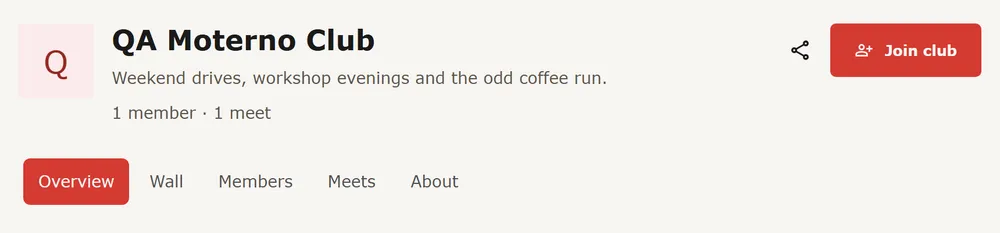
Join
Open the club and press Join club. If the club approves members, the button says Request to join instead, and it shows Request pending until an admin approves. An invite link takes you straight to the club with one button.
Or start your own
On Clubs, press Create club. Give it a name, a description, what it focuses on, and who can join: anyone with one click, or members approved by an admin. Press Create club and you are the owner. A short checklist on the club page guides the first steps: a photo, an introduction, members, a first meet and a first post.
Invite members
As an admin, open the club's About tab. Under Invitations, create an invite link to share, or invite people by e-mail. For an open club, whoever opens the link joins with one click. For a closed one, they land on the club with a request button and you still approve.
Post a meet
Press Create meet on the Meets page, or on your club's page. Give it a title, a description, a place, when it Starts and, if you like, when it ends. To link it to a club, pick the club; you can only do that for clubs you are an admin of. Tick Members only if only that club's members should see it. You are marked as going.
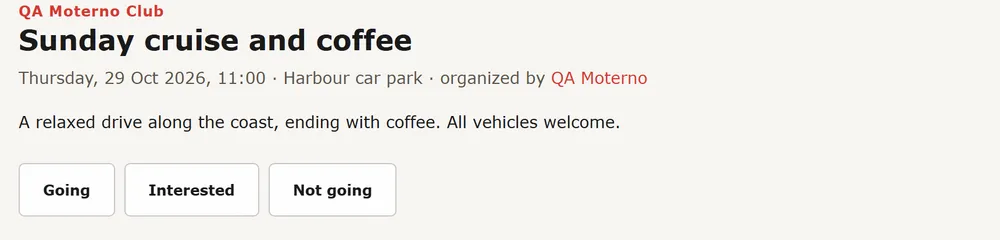
RSVP
Open a meet and press Going, Interested or Not going. The page lists who is going. A club admin can press Invite members to notify the club's members; it can be sent once per meet every 24 hours.
- Clubs and meets are free for everyone.