

How to track fuel and see your consumption
The Fuel app at fuel.moterno.com logs a fill-up in a few taps. Consumption is worked out for you from full tank to full tank.
Open the Fuel app and log in
Go to fuel.moterno.com on your phone and log in with your Moterno account. It is the same account. You need a vehicle in your garage first, and one that counts distance or hours (a vehicle with no odometer is left out).
Add it to your home screen
On Android, press Install on the banner, or use your browser's install option. On iPhone, open Safari's Share menu and choose Add to Home Screen. It then opens like an app, without the browser bar.
Enter the fill-up
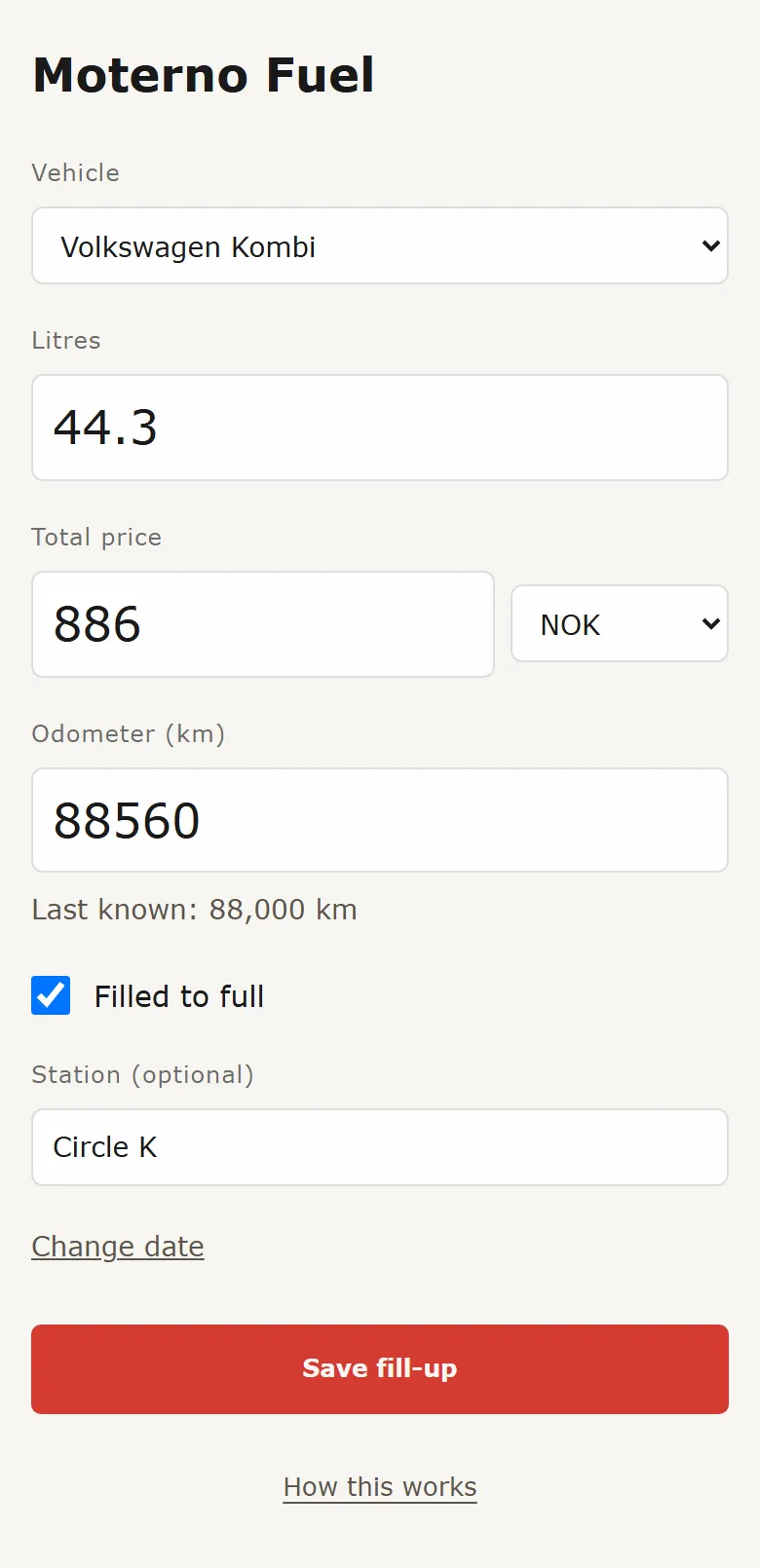
Fill in Litres, Total price (with its currency) and Odometer. The last known reading is shown under the field. Filled to full is ticked by default, so untick it for a part fill. Station is optional, and Change date is there if you are logging an older one. With several vehicles, pick one at the top; the app remembers your last choice.
Save
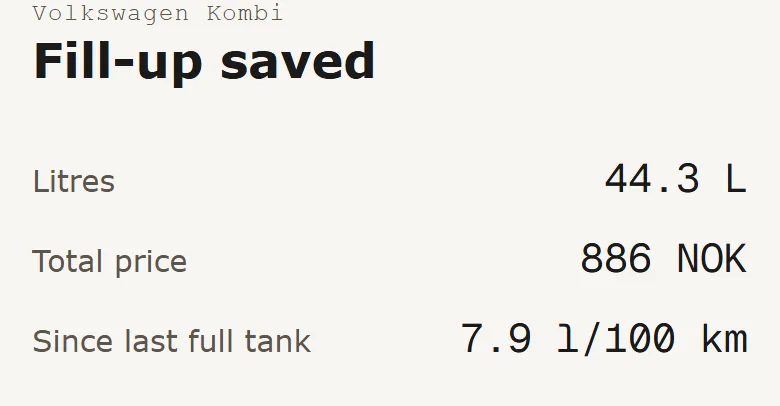
Press Save fill-up. You get a summary, and Since last full tank shows your consumption once there are two full-tank fills with distance between them. Offline? Nothing is lost: your numbers stay on screen so you can try again.
How consumption is calculated
Moterno goes from full tank to full tank: all the litres put in since the previous full tank, divided by the distance driven between the two. A part fill does not give a figure on its own. Its litres are counted in the next full tank. You see l/100 km, or mpg (US gallons) for miles and l/h for engine hours. On the vehicle's page, Latest consumption shows the latest figure, and the Timeline chart shows an overall average.
On a computer
Prefer the main site? On a vehicle press Add event and choose Fuel fill-up. Fill-ups appear in the timeline, and Hide fill-ups tidies it up when you want to.
- Fuel logging is free, and so is the app.