

How to move your club's chassis register out of a spreadsheet
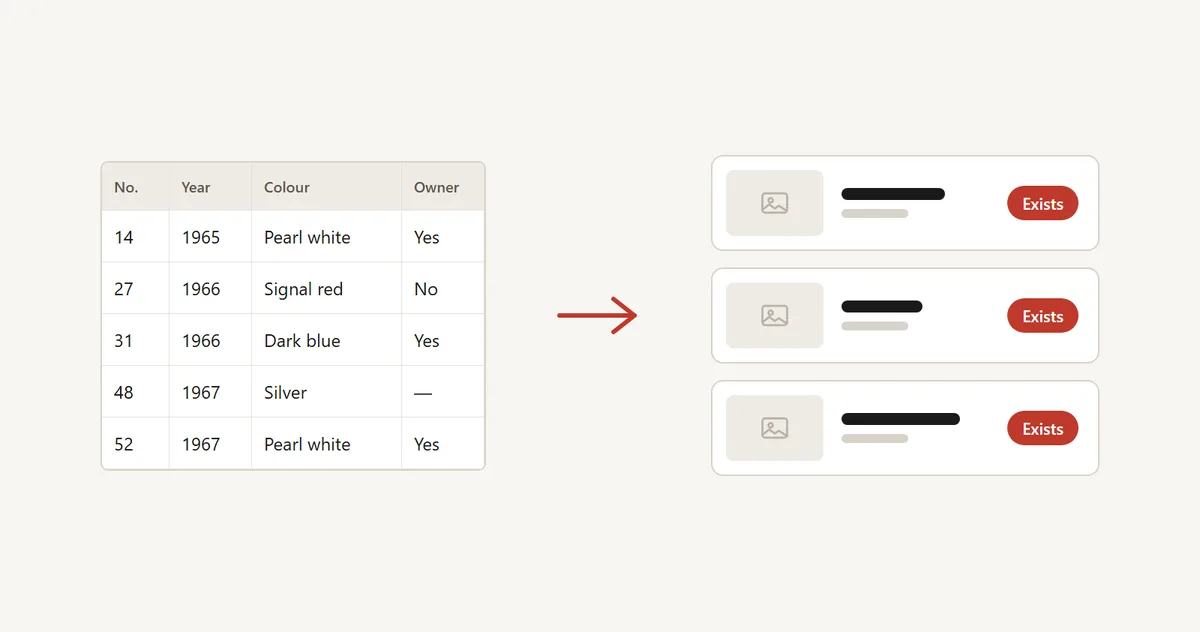
Most model registers start the same way: one enthusiast, one spreadsheet, a few hundred chassis numbers. It works for years. Then the file grows a dozen tabs, owners e-mail corrections that someone has to type in, and the keeper wants to hand it over. This guide covers why spreadsheets, PDFs and forum threads get stuck, what a chassis register should do instead, and how to move a register step by step without losing a row.
Why spreadsheets, PDFs and forum threads get stuck
One keeper does all the work
Every correction, new car and sale goes through one person. Owners e-mail a photo and a chassis number, the keeper types it in, and the backlog grows. Nobody else can help without sharing the whole file.
Owners cannot fix their own car
A car changes hands, gets repainted or is restored, and the register still shows the old story. When the only way to update is to write to the keeper, most owners never do.
Data is lost when the keeper steps down
The file lives on one laptop, in one cloud account, or in a forum thread that is now a hundred pages long. A PDF published once is out of date the next day. When the keeper stops, the register often stops with them, or splits into two copies that disagree.
Everything is public or nothing is
A forum thread or a published PDF shows every chassis number to everyone. Many owners do not want that, because a chassis number together with a location and photos is useful to a thief. A spreadsheet shared by link has the same problem in the other direction: you cannot show some columns and hide others.
What a good register needs
- The right identifier. Not every make uses a VIN. Old cars have chassis numbers, factory numbers or serial numbers, sometimes with gaps and duplicates. The register should let you name the identifier as your community knows it, and cope with cars where it is unknown.
- Privacy by default. Chassis numbers and owner names should stay private unless someone chooses otherwise. The public view can show model year, colour, country and status without exposing the one number a thief would want.
- Owner verification. The register should know who really owns a car: through evidence such as the registration document or a photo of the chassis plate, or an invitation to the owner's e-mail address.
- History and photos. A register entry is more valuable with documents, photos and an ownership trail than as a row of cells.
- Sharing with sibling registers. A camper that belongs to two registers (by model and by body maker, for example) should not have to be typed twice and drift apart.
- Statistics. Cars per year, per country and per status answer the questions members actually ask: how many survive, and where.
- More than one person in charge. Roles, so that the keeper can share the work and a successor can take over.
How to migrate, step by step
1. Clean the identifier column
Pick the one column that identifies each car and remove the obvious problems: duplicates, trailing spaces, mixed formats. Cars with no known number are fine, but note them so you can find them later. Keep the original file untouched as a backup.
2. Decide what is public and what is private
Go through the columns. Model year, body style, colour, country and status are usually safe to show. Owner names, e-mail addresses, registration plates and notes are not. Write the rule down so that members can read it.
3. Import the list
Save the sheet as CSV, match each column to a field in the new register and review the preview before anything is saved. Check the row count against the original. Rows without an identifier should get a clearly temporary number rather than being dropped.
4. Add photos and documents
Photos cannot live inside a CSV. The usual route is one folder per car, named with the chassis number, plate and owner, with the photos inside, imported as a ZIP. Start with the cars that have the best material and add the rest over time.
5. Invite the owners
Add an owner e-mail per car where you have one, and invite them to confirm their car. This turns your static list into a register that owners keep current themselves. Send a short personal note so the invitation does not look like spam, and expect replies of the form "that is not my car any more", which is useful information too.
6. Retire the old file
Keep the spreadsheet read-only for a few months, tell members where the register lives now, and link the new address from the forum thread and the club website. Export from the new register regularly so you always hold a copy.
How Moterno does it, as one option
Moterno is a free digital garage for vehicle owners, and it has model registries built in. It is 100% free for registrars and owners, with no card and no trial that runs out. Here is what exists today:
- You name the identifier yourself, for example "Fabrik-Nr.", and the name is used on car pages, search, sorting and export.
- Chassis numbers are private by default. Each car has a "Shown publicly" switch, each field is public or registrars-only, and a registry can be kept hidden while you build it.
- CSV import takes any column as the identifier, gives rows without one an automatic UNK number, matches an owner e-mail column and downloads photo links. A ZIP import handles one folder per car.
- Owners claim their car with evidence, or you invite them by e-mail, one at a time or in bulk. Owner e-mail addresses are visible only to the registry's owner and registrars and are never public or exported.
- A car can be shared with another registry, which has to accept first and decides whether it shows the car publicly.
- Statistics by year and country, with a map, are always visible on the registry page.
- You can export everything from your registry.
If you would rather not do the import yourself, send the file or a sharing link to post@moterno.com and we will import it for you, free of charge. The step-by-step guide for registrars covers setup, import and invitations, and the guide for owners shows what your members will see. Moterno is not the only way to do this. A well-kept spreadsheet with a second keeper beats a neglected tool, so choose what your community will actually maintain.
Questions registrars ask
Why not just keep the chassis register in a spreadsheet?
A spreadsheet is fine for a small list with one careful keeper. It becomes a problem when owners need to correct their own cars, when you want to show some columns publicly and hide others, or when the keeper steps down and nobody else has the file.
Should chassis numbers in a public car register be visible?
Usually not by default. A chassis number combined with photos and a location helps a thief identify or clone a car. A good register shows model year, colour, country and status publicly and keeps the number private unless the owner or registrar chooses otherwise.
What if some cars in the list have no chassis number?
Import them anyway with a temporary placeholder number and replace it when the real number is found. In Moterno, rows without an identifier can get an automatic number (UNK-0001 and so on) that you replace by editing the car.
Can I add photos to a registry in bulk?
Yes. Photos cannot be inside a CSV, so use a ZIP with one folder per car, named with the chassis number, plate and owner. A CSV column of photo links (https) can also be downloaded during import.
Does it cost anything to start a registry on Moterno?
No. Registries are free for registrars and owners, and Premium is optional. If you send the file to post@moterno.com we will import it for you at no charge.
Related guides
- Car club management apps compared
- Maintenance apps for classic car collectors
- Vehicle history log apps: how to keep a service record
Browse the registries, read the guide for registrars, or see the tools.