

How to run a model registry: set up, import and invite owners
This guide is for the people who keep a registry: the owner and registrars. You collect every known car of one model, decide what is public, and let owners confirm their own cars. Registries are free. Are you an owner looking for your car instead? See the guide for owners.
Apply to start a registry
On Registries, press Start a registry (you need to be logged in). Give the make, the model, a name, the address and your role, then press Send application. Moterno reads each application by hand and usually replies within a couple of days, by e-mail and in Moterno. Once approved, you are the registry's owner. A new registry starts hidden.
Set it up in Settings
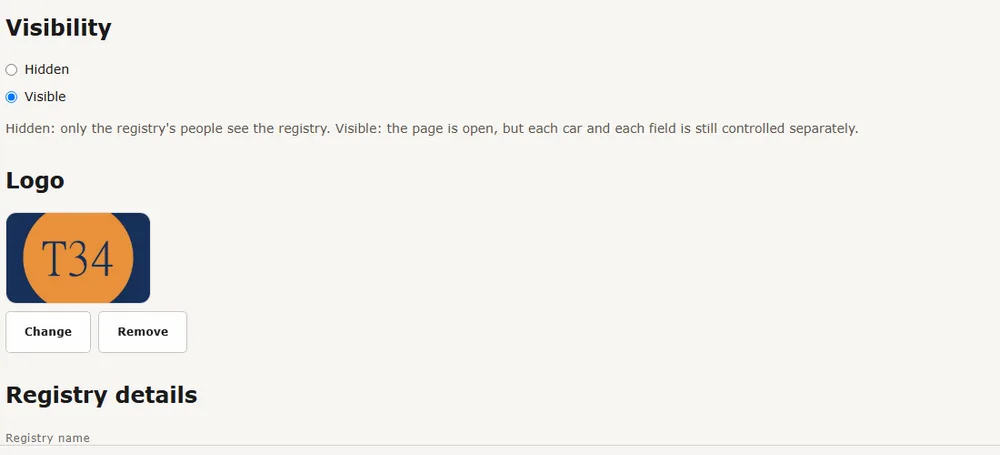
Open Settings. Visibility is Visible (the page is open, but each car and each field is still controlled separately), Listed (others see only the name, make and model, logo and number of cars, and can press Request access) or Hidden (only the registry's people see it). A new registry starts as Listed. Upload a square Logo, and fill in the registry details. Under Identifier, name the number that identifies each car to suit your cars, for example “Fabrik-Nr.” instead of “Chassis number”. The name is used as typed on car pages, search, sorting and export. Press Save.
Choose what is public
Under Fields in Settings, each field has a globe (public) or a crossed-out eye (registrars and owners only). Use Make all public or Hide all, or New field to add your own (text, number, date, month, country, single choice or long text). The identifier row is built in: it is private by default, and only the registry owner can make it public. Each car also has a Shown publicly switch. Documents are always for the registry only.
Import your list
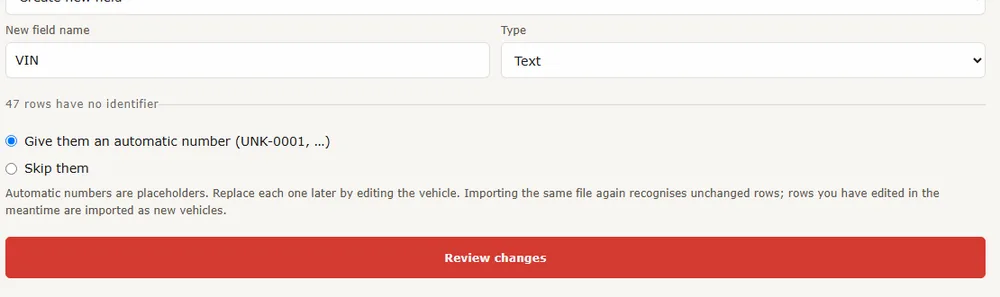
Open Import/Export and upload a CSV (up to 5 MB and 5,000 rows). A file downloaded from your registry works as a template. You match each column to a field, review the changes, and nothing is saved until you confirm. Any column can be the identifier (VIN, chassis, factory number or serial). Rows without one can get an automatic number (UNK-0001 …) that you replace later by editing the car, or be skipped. A column with owner e-mails can be matched too, and a column of photo links (https) is downloaded for you. Photos cannot be inside a CSV: use the ZIP import instead, with one folder per car named like “21.928341 LA 12345 Ola Nordmann” (chassis, registration number, name), and photos (JPG, PNG) and PDFs inside. Would you rather we do it? Send the file or a sharing link to post@moterno.com. It is free.
Invite the owners
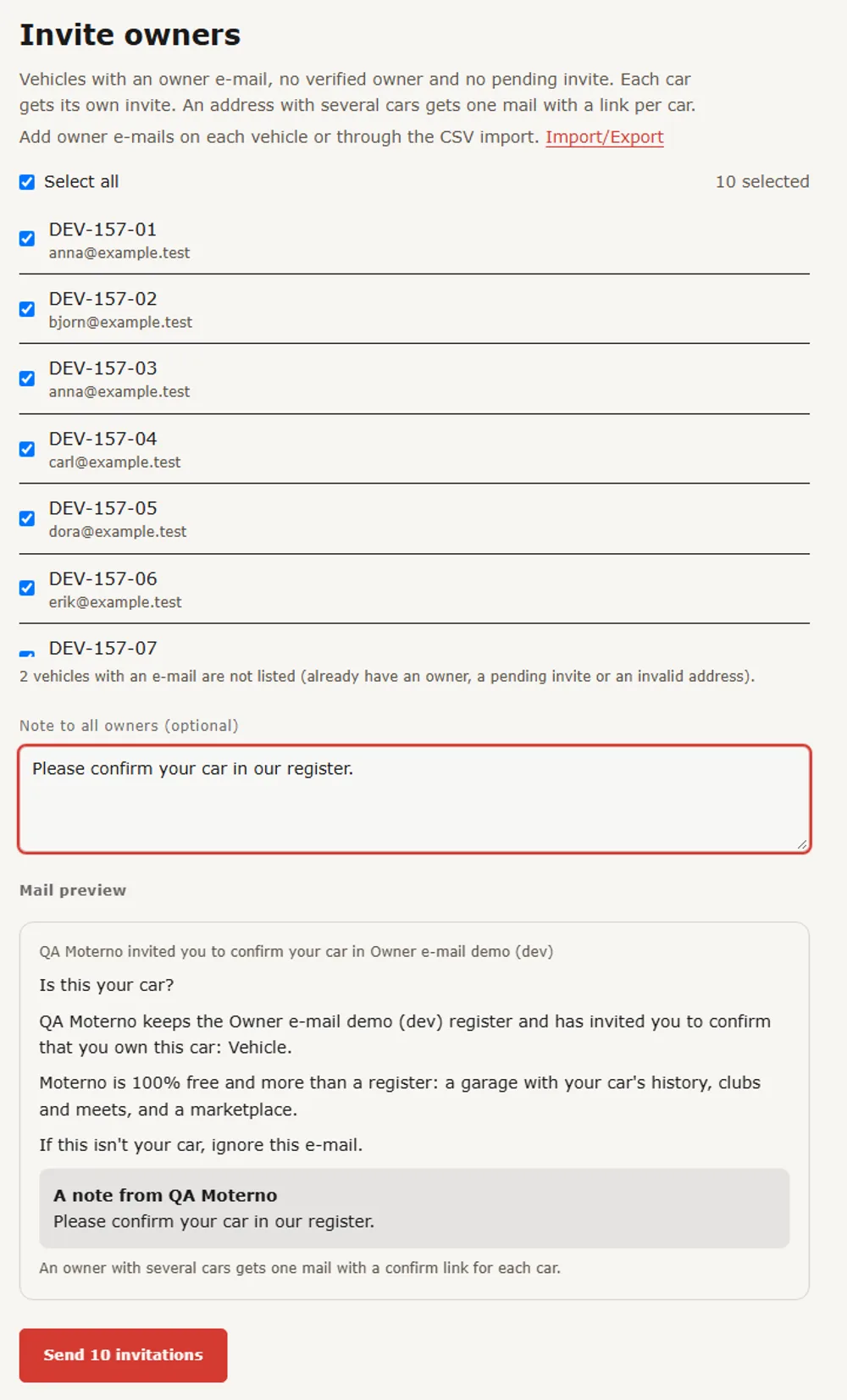
Owners confirm their own cars and become the verified owner. On a car, type the Owner's e-mail and press Save e-mail. Only the registry's owner and registrars see it: it is never public, never shared and never exported. Then press Invite owner, with an optional personal note. The invite is valid for 14 days. To invite many at once, open Invite owners from Import/Export: select the cars, add one note for everyone, check the mail preview and send. An address with several cars gets one mail with a link per car, and at most 200 invites can be sent per day per registry.
Share, review and follow the numbers
Use Share this car to show a car in another registry as well. The other registry has to accept first, you choose which fields and files go along, and that registry decides whether the car is shown publicly. New claims, proposed changes and sharing requests wait in the Queue tab, where you accept or decline them. You also get a bell notification and, if you turn on Registry queue under Notifications in your profile, a push (at most one per registry every 15 minutes). The Statistics table on the registry page is always visible, with a map of the countries that have cars. Click a country to filter the list. The counts include cars that are not public.
- Share the work: invite other registrars by e-mail under **Roles**.
- Registries are yours: you own the content and can export everything.
- Not sure you want it open yet? Keep the registry Listed or Hidden while you import and check the data. Access requests from people who find a Listed registry appear in the **Queue**.